UGC subscription vs pay-per-video: compare the usable cost
Compare UGC subscriptions with individual purchases using cost per used clip, a worked break-even example, and a checklist for the terms that change the answer.

A UGC subscription is cheaper only when you use enough of the included footage, the footage fits the job, and the total commitment beats buying comparable clips individually. Pay-per-video can be the better choice for occasional needs. Neither billing model tells you whether you are buying a reusable clip, a custom shoot, or a finished edit.
Start with the deliverable. Then do the math.
Updated September 23, 2026. This guide separates the current DansUGC library offer from a hypothetical calculation you can reuse with any quote. The example is not a DansUGC subscription tier or a customer result.
First, make sure you are comparing the same product
“One UGC video” is not a consistent unit.
A library clip might supply a reaction you place next to your own screen recording. A commissioned video might include your product in the creator's hands, a script, and a specific demonstration. A finished edit might add captions, sound, cutaways, and a call to action.
Those differences affect the work left for your team. A cheap source clip is not automatically a cheaper finished video if the concept still needs a shoot and several hours of editing.
Write down what each option delivers before comparing prices:
- Existing footage or a new shoot to your brief.
- Raw clips or finished edits.
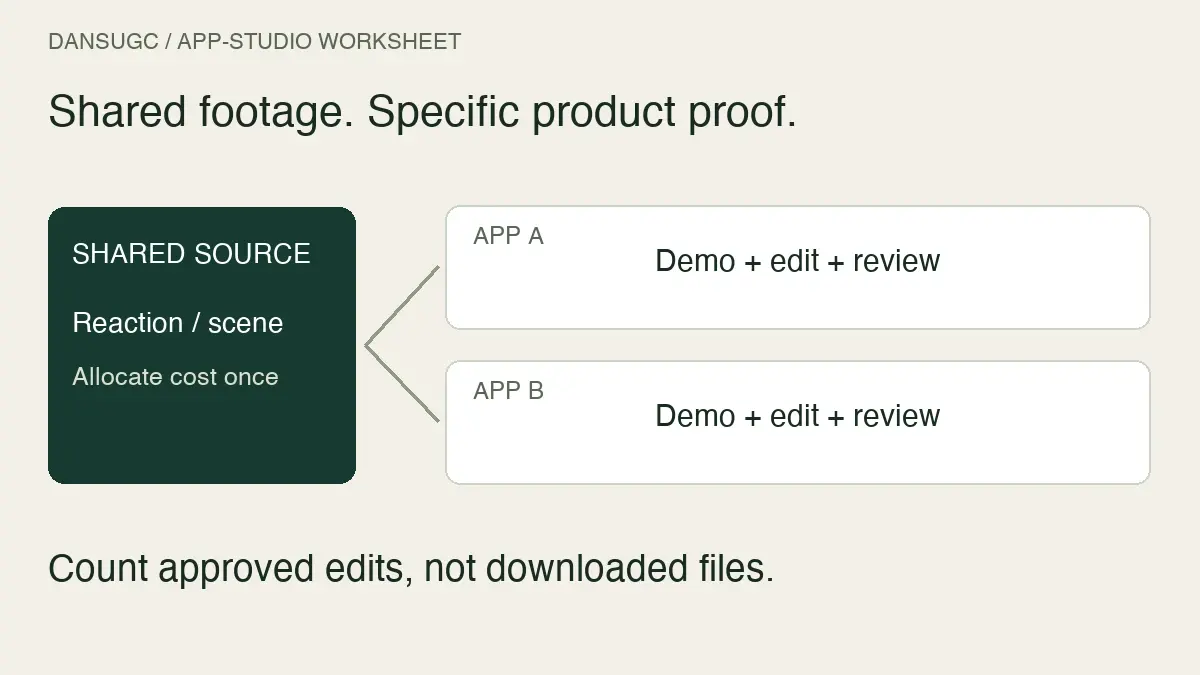
- Distinct source clips or multiple exports of the same footage.
- Product-specific demonstration or general illustrative footage.
- Editing, captions, revisions, and delivery specifications included or excluded.
- The usage terms and any additional permissions your placement requires.
For the production decision, use UGC clips vs custom UGC. This page deals with the billing decision after the scope matches.
What the DansUGC library currently advertises
On September 23, 2026, the live DansUGC B-roll library says guest clips start at $15 and subscribers use their account credits and discounts. It asks buyers to select clips to see the bundle price.
That starting price is not enough information to calculate your total subscription bill or a universal break-even point. Compare the price for your actual selection with the applicable account offer. Check the current plan allowance, billing period, minimum commitment, extra purchases, and renewal terms before buying. Do not assume a per-clip headline is the amount charged each month.
The library offer is also not a quote for a new creator shoot. If your concept needs someone to hold your product or deliver a particular line, confirm that production separately.
Use three numbers, not one headline price
The useful comparison starts with three counts: what you pay for, what you approve for the brief, and what you actually use.
Allocated cost per clip is the relevant subscription cost divided by the included allocation. This is the attractive number when every available clip gets used.
Cost per approved clip is the relevant cost divided by the clips that meet your brief and are ready for the intended edit. It exposes a poor match between the inventory and the work.
Cost per used clip is the relevant cost divided by distinct clips actually used in your chosen period. It exposes overbuying. Keep the counting rule consistent: downloading the same clip twice does not create two distinct usable assets.
If no clips were used, the cost-per-used-clip calculation is undefined. Record the spending and zero output directly. Do not turn that into a $0 cost.
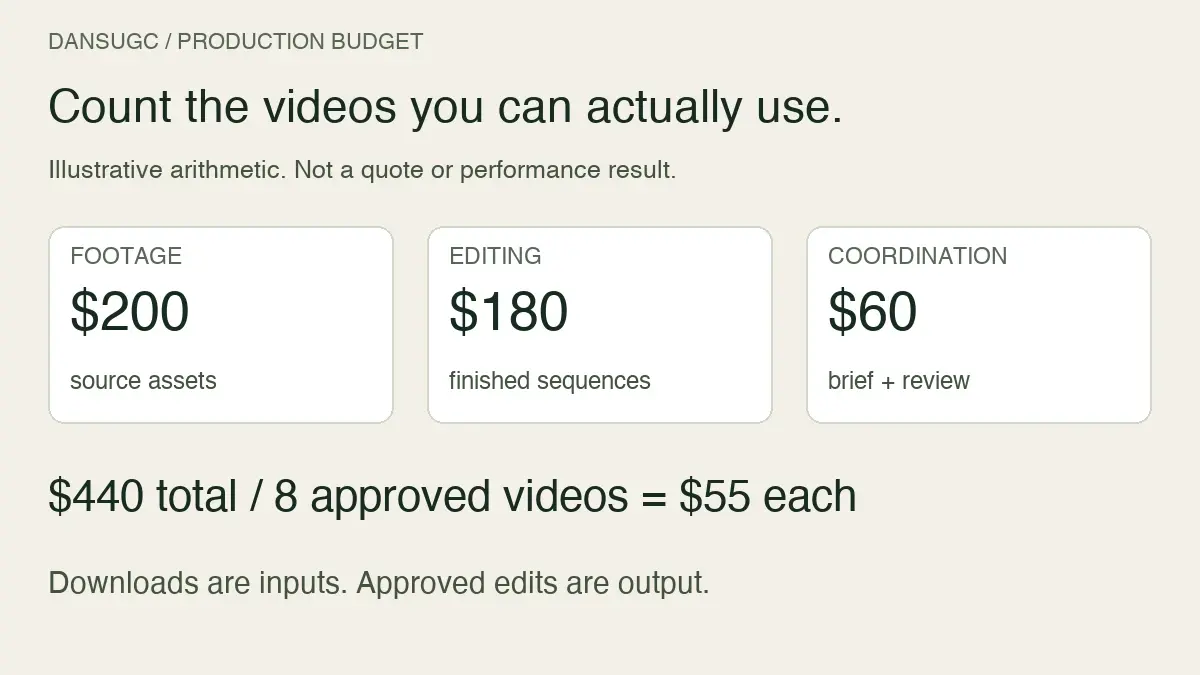
For a fuller comparison, add editing, sourcing, project management, and any required extras to both sides. Use the same cost categories and period. Otherwise the spreadsheet rewards whichever option has more work hidden outside the invoice.
A worked example: the cheaper model changes with usage
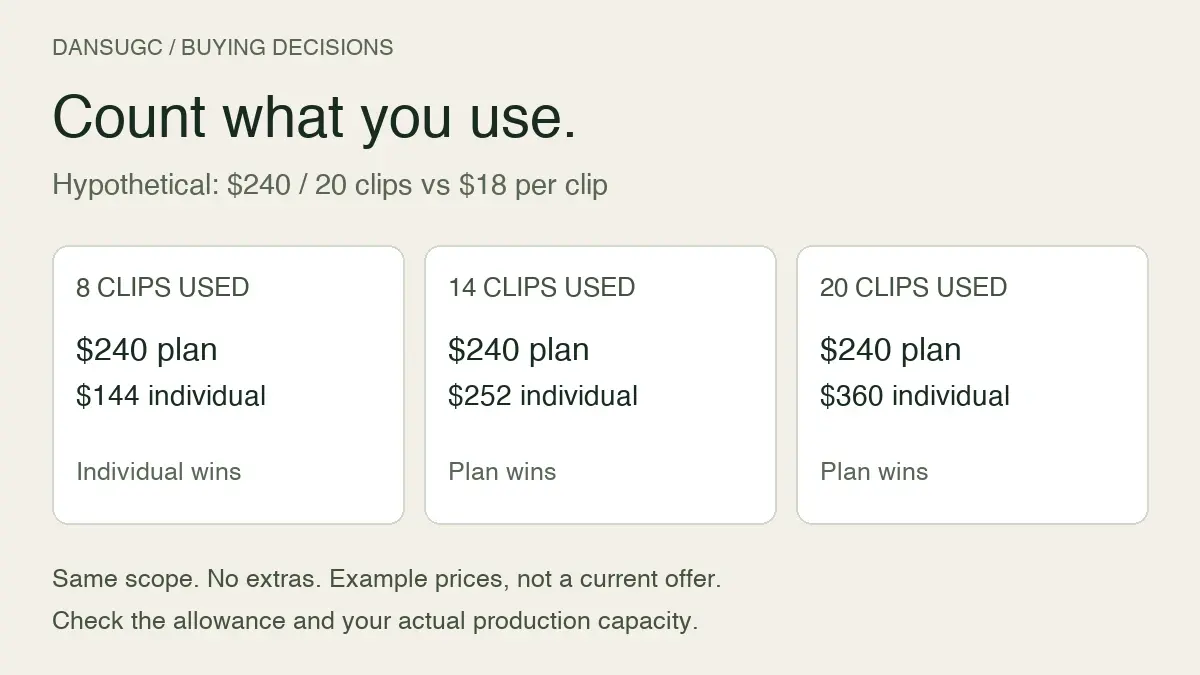
These are invented planning inputs, not vendor prices or results. Suppose two offers supply comparable footage with the same permitted use. One costs $240 for up to 20 clips during the period. The other costs $18 per clip. Assume no additional fees, no rollover value, and equal editing work for this example.
- Use 8 clips: the subscription costs $240 total, or $30 per used clip. Individual purchasing costs $144. Pay-per-video is $96 cheaper.
- Use 14 clips: the subscription still costs $240, or approximately $17.14 per used clip. Individual purchasing costs $252. The subscription is $12 cheaper.
- Use 20 clips: the subscription costs $12 per used clip. Individual purchasing costs $360. The subscription is $120 cheaper.
The break-even calculation is $240 divided by $18, which is approximately 13.33 clips. Because this example buys whole clips, the subscription becomes cheaper at 14 clips used, provided the needed footage is covered by the 20-clip allowance.
At 13 clips, individual purchasing costs $234 and still wins. At more than 20, you need the actual extra-clip price or next plan before extending the calculation.
The lesson is not “subscriptions win at 14.” It is that the answer changes with the fee, the comparable unit price, the allowance, and your usage. Substitute your real inputs.
When pay-per-video makes sense
Choose individual purchasing when the need is narrow and the timing is irregular. A team filling one missing reaction shot has a different problem from a team with an approved weekly production schedule.
It can also be useful while you check whether a library fits your visual style. Inspect the available footage against a real edit before committing to a recurring allowance. Buying more clips does not solve a mismatch in setting, framing, expression, or product context.
Pay-per-video does not automatically mean a custom creator project. It is a billing method. You can buy existing footage individually, just as a subscription can cover an existing library rather than bespoke production.
When a subscription makes sense
A recurring plan is worth evaluating when the demand is repeatable, the inventory covers that demand, and your team has the capacity to turn selected clips into published work.
I would check the production queue before increasing an allowance. If editing or approval is the bottleneck, more downloads create a bigger folder, not more finished content.
Use the monthly UGC capacity worksheet to estimate what your team can actually process. Then compare a conservative usage case with your normal case. A plan that only works in your most optimistic month is a commitment to examine carefully.
Questions to answer before subscribing
Save the answers with your purchase record. Do not infer them from the word “subscription.”
- What is billed now, and what renews later?
- What does the allowance count: downloads, unique clips, credits, edits, or creator deliverables?
- Do unused credits expire or roll over, and under what conditions?
- What happens when you exceed the allowance?
- What does cancellation change about billing, access, and previously licensed footage?
- Are the clips non-exclusive, and does that work for your intended use?
- Is editing or a revision included, or are you choosing an existing file as supplied?
- Can you inspect the footage and file specifications before committing?
If a term is unclear, get it clarified before building a campaign around it. This checklist identifies questions to verify; it does not replace the applicable agreement.
Keep a small usage ledger
You do not need a complicated dashboard to see whether you are using what you buy. Start with one row per distinct source clip.
Record its asset ID, purchase or download date, plan period, intended edit, approval status, and the first date it appears in published work. Keep unused but approved footage separate from rejected footage. They point to different problems: unused approved footage may reflect capacity, while rejected footage may reflect selection or brief fit.
Keep the financial total alongside those rows. If a clip is used in multiple finished videos, track that reuse separately instead of counting it as another purchase. The UGC asset-management guide explains how to connect source clips to finished edits.
At the next billing review, compare the actual spending and output with your forecast. Keep, reduce, or change the plan based on the work you can use. Download count alone is not a business outcome, and a lower footage cost does not prove higher sales.
Frequently asked questions
Is a UGC subscription always cheaper?
No. It depends on the total commitment and how much comparable footage you use. A lower advertised unit rate can still mean a higher total bill when demand is low.
How do I calculate the break-even point?
For a fixed-fee plan and a comparable individual clip price, divide the fixed fee by that individual price. Check whether the resulting quantity fits the allowance, then include any unequal fees or work. The simplified formula does not cover every subscription structure.
Does a subscription include custom filming?
Only if the offer explicitly includes it. Access to an existing clip library is not the same deliverable as a creator filming your script or demonstrating your product.
Should I compare clips downloaded or clips used?
Track both, but use a clearly defined used-clip count to understand what the spending contributed to your production. Approved footage held for later should be visible in the ledger, not quietly counted as published work.
The next step
Choose a real upcoming edit. Identify the missing shot. Browse the current DansUGC library and offer, inspect the footage, and calculate the cost using the amount you expect to use. Subscribe when the fit and the math work. Buy individually when they do not.
Editorial correction: this update removes the older $8 headline, unsupported savings percentages, and customer-performance examples that were not substantiated for this guide. The calculation above is explicitly hypothetical. Current offer details should be confirmed at purchase.
Ready to get UGC videos for your brand?
Real human creators, 48-hour delivery, full commercial rights. Starting at $9/video.